Showing posts with label Meetup. Show all posts

Monday, March 25, 2019

Speaking at Louisville .NET meetup,remotely speak and presenting Best practice of .NET Core CI/CD on Azure DevOps

Hi my blog audiences! Oh boy, another speaking time!

In February, I had speaking arrangements with Louisville .NET meetup, and Chad Green, the meetup's owner. Since December 2018, he had announced opportunity to speak for his meetup.

This is the Louisville .NET meetup page on Meetup.com:
https://www.meetup.com/Louisville-DotNet/

I'm honored, and at the same time feel so privileged to speak for his meetup, particularly knowing that English is not my first language. The topic I presented was about "Best practices of .NET Core 2.1 CI/CD using Azure DevOps".

This is the landing page of the event: https://www.meetup.com/Louisville-DotNet/events/258017408/


In this context, I focused on Azure DevOps Service. Yes, Azure DevOps Service is a rebrand from VSTS (also known before as Visual Studio Online).

NOTE: For those who wonders, the on-premise TFS will be named as Azure DevOps Server, and it will be released under the name of Azure DevOps Server 2019.

Thanks to Chad, he agreed to use Skype to speak and present for them (by sharing my desktop screen).

Here is the audience at that time (taken from my desktop screen: (on Skype)


The presentation


I had prepared the material and the talk before, including a github repo (link below) to specifically contain the presentation, the sample and demo.


The best practices for .NET Core 2.1 CI/CD are mostly concluded into these 3 main ideas (and also topics):

  1. Build and test locally first, without Visual Studio 2017 at all. It is recommended to use command prompt. Then use the knowledge and experience later to create CI on Azure DevOps
  2. Prepare and Implement Azure DevOps CI/CD.
  3. DOs and DON'Ts of Azure DevOps CI/CD 


The first topic is important, because Visual Studio 2017 always hides all of the mechanics that happened when you compile a solution. It is using MSBUILD, but the actual running sequence is always this:


  1. Restore and resolve all nuget packages using the .NET TFM information. For example: .NET Core 2.1 TFM is "netcoreapp2.1". The restore and resolve done at each project. The way nuget execute is closely related to the MSBUILD version used AND the VS 2017 used.
  2. Compile the projects in the solution, and check with resolved nuget packages
  3. If the RID specified, then "dotnet build" will tell MSBUILD to generate the necessary RID as well. Often, RID is liked with the OS used as target runtime OS.

Point #1 is important, because Nuget-MSBUILD-.NETCoreSDK-VS2017 usually has linked "train release" toolchain that we can't ignore.

For example:


Also getting used to know TFM is important, because .NET Core SDK project is editable from Visual Studio, and many tutorials from Microsoft shown these.

For more information on list of .NET Core TFM, please visit this official documentation: https://docs.microsoft.com/en-us/dotnet/standard/frameworks

By default, "dotnet build"  always use the latest SDK to compile. This will cause problem if you have many versions of .NET Core 2.1 SDK on your machine! The reason is quite trivial: the compilation and the assembly resolution will be different with your targeted TFM.

The way to minimize this is using "global.json" file that contains the .NET Core SDK you want to use, and put this on the solution folder.

For example:

{
  "sdk": {
    "version": "2.1.503"
  }
}

For more information on global.json syntax and usage, visit this official documentation: https://docs.microsoft.com/en-us/dotnet/core/tools/global-json

For more on my presentation, visit my repo of dotnetcore CI/CD sample: https://github.com/eriawan/dotnetcore-cicd-samples

Get the code


In my own Azure DevOps account, I have setup a sample CI to be shown as public, so the audience can follow my demo and presentation later.

The Azure Pipelines builds log for this meetup is available at: https://dev.azure.com/rxcommunica/rxpubliccrepo/_build?definitionId=18

So? Fork my repo and start doing DevOps now! :)

Tuesday, March 13, 2018

Speaking at MUGI Purwokerto’s meetup: Azure Day on March 3, 2018

Hi my blog audiences! Now on this March 2018, I have speaking session!
In the end of February, I got a warm speaking request from Agus Suparno. He’s a Visual Studio MVP like me, and also a chairman of MUGI Purwokerto. He cordially invited me as speaker for his MUGI Purwokerto’s meetup, themed Azure Day on March 3, 2018.
So I immediately accepted his invitation and speaking request Smile
The Azure Day meetup is held at Microsoft Indonesia, BEJ, Jakarta. Again, thanks to Microsoft Indonesia for providing the venue!
This is his initial public invitation:
MUGI_Purwokerto_AzureDay_20180310
Agus spoke about Gallery Server on Azure, one of the marketplace template on Azure to store and manage files. And yes, I spoke .NET Core on Azure!
Basically I drove the audience to have quick intro on .NET Core, then have some demos on .NET Core runs on Linux on Windows 10.
Yes, we can use Windows 10’s Windows Subsystem for Linux (WSL) feature to have supported Linux distro runs inside Windows 10. I really mean it, runs inside Windows 10 instead of running on VM!
Since Windows 10 Creators Update, you can just use add/remove Windows Feature and ensure that WSL is checked:
image
For more information, please visit this official doc on Windows 10 WSL: https://docs.microsoft.com/en-us/windows/wsl/install-win10
I have chosen Ubuntu 16 as my distro choice.
I have installed .NET Core SDK 2.0.1 before the meetup, and it installed nicely!
After installing .NET Core SDK 2.0.0, you’ll have this dotnet –info results:
image
And then you’re good to go!
It is advisable to install .NET Core SDK at least 2.1.4, because it contains latest bug fixes.
Now, using Azure, we can just use the Azure DevOps template to quickly learn the Azure integration with Visual Studio Team Services (TFS cloud version).
For the sake of simplicity and quick setup, I have created the Azure DevOps solution that has integration with my VSTS account:
image
Now, looking at the URL of the application endpoint, we have http://azureaspnetcoremugi.azurewebsites.net/
image
Yes, it runs fine and kicking!
So here’s the pictures from the meetup:
MUGI_Purwokerto_AzureDay_20180310_01
MUGI_Purwokerto_AzureDay_20180310_02
We had pictures for the attendees and speakers:
MUGI_Purwokerto_AzureDay_20180310_04
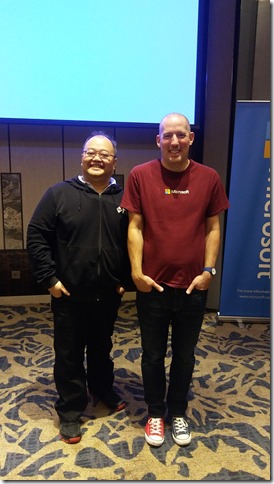
And last but not least, having closing picture with Agus and MS Indonesia’s host, Jody:
MUGI_Purwokerto_AzureDay_20180310_03
This is also the initial collaboration of MUGI Jadetabek and MUGI Purwokerto!
See you on the next MUGI sessions, my blog audiences!

Saturday, October 21, 2017

Participating in Microsoft’s Mission Mars of building chat bot using Bot Framework (as JakartaJS meetup workshop)

As one of Microsoft MVP in Indonesia, I’m often being asked to help other developer community to thrive and also to share knowledge. One sample of this is when I helped Software Architect Indonesia Community (SARCCOM) as speaker for their Meetup event: https://www.meetup.com/Software-Architect-Indonesia/events/242334607/

In early October 2017, I was asked by MS Indonesia to participate in 2 days event: MS Chat bot development training for community leaders and MVP to be trained as trainers, and the second day is helping as trainer assistant for Chat bot development to train for public (for everyone).

First, thanks to Microsoft Indonesia for this opportunity! I’m so glad that I get invited to this event while sharpening my skillset about developing Bot using MS Bot Framework! YES! Open-mouthed smile

It’s interesting to know that this event is part of Microsoft’s Mission Mars series, and usually Mission Mars is often held in outside Indonesia.

The event is held at Sheraton Hotel, Gandaria City, Jakarta, Indonesia.

The chat bot event

So, here is the event:

image

The trainer to train on day 1 is from Microsoft directly from US: Christopher Harrison!

Christopher Harrison is known for his MVA videos! This is also his MVA video on Bot Framework: https://mva.microsoft.com/en-us/training-courses/creating-bots-in-the-microsoft-bot-framework-using-c-17590

FYI, MS Bot Framework landing page is: https://dev.botframework.com/

And the official documentation is at: https://docs.microsoft.com/en-us/bot-framework/ and don’t forget to also contribute to the docs repo. Microsoft is always welcoming contribution to every Docs page of https://docs.microsoft.com/

It’s nice to know that this training is NOT just for MS MVP, but Microsoft Indonesia was inviting other Indonesian community leader such as leader from Python, Javascript, Ruby communities!

As a matter of fact, Microsoft Indonesia helped Jakarta Javascript community to have other workshop for the next day:

image

Therefore it’s always good to know that MS is really open!

The training was on 16th October, and the workshop was on 17th October.


The bot development training

The bot development training was focused as steps, fortunately we could see and try the steps directly from Mission Mars github: https://github.com/MissionMarsFourthHorizon/operation-max

The interesting thing about this sample steps tutorial is written in C# and Node.JS. So .NET is not required, you can choose to have NodeJS to create bot.

These are the pictures from the training day:

20171016_10113120171016_102214

20171016_10250720171016_134913

And here are the pictures of Christopher Harrison, the community leaders, and MVPs (including me, Kiki, Fadhil)

20171016_17252020171016_172756


And then, the next day, we helped Christopher Harrison to train!

Here are the shots after the training for public:

20171017_121556

And I sneak my opportunity to take picture with my APAC MVP Lead, Soyoung Lee:

20171017_110709

And also with my frieds: Irving Hutagalung and Anggita (from Microsoft Indonesia):

20171017_162233

GREAT!!!