Sunday, September 30, 2018

Speaking at dotnetConf Indonesia 2018

HI there, my blog audiences!
After watching full sessions of dotnet Conf on Channel9: https://channel9.msdn.com/Events/dotnetConf/2018
Now we have dotnetConf in Indonesia!
This event is held on 29th September
But to be honest, the dotnetConf Indonesia is not a complete relay, it’s within the same spirit of the dotnetConf itself: celebrating .NET world as we know and use extensively, especially on using .NET Core on your dev machine, cloud, and on mobile/any devices!
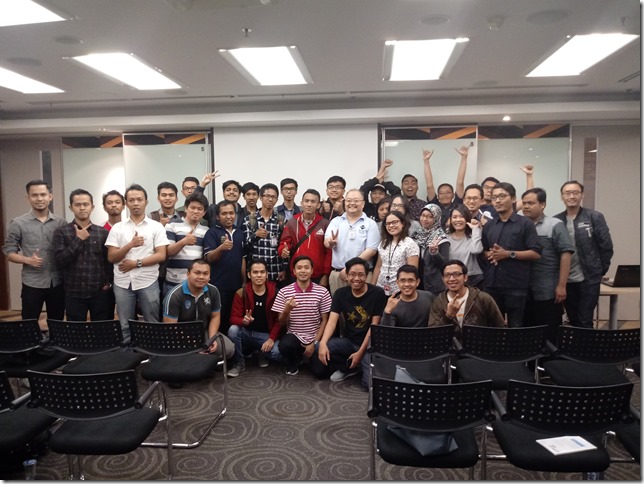
Thanks to Dicoding (https://www.dicoding.com) and Buitenzorg Maker Club (Bogor’s IOT community) to co-host and also promote this event, we have gathered around 100+ attendances!
dotnetconf2018_dicoding_poster
So in this event, we focus on .NET ecosystem and also its application, such as Blockchain using Nethereum, an open source implementation of Ethereum using C# and .NET Core.
I speak on having gentle intro on .NET Core 2.1, and currently at version 2.1.4 (and the related SDK version is 2.1.402).
I also have demonstrated how easy to develop and also at the same time have CI for free using Azure DevOps, as long as it’s open source projects Smile
The demo also focus on the fact that we can code in C#, F#, VB.NET on .NET Core!
.NET Core, although it is quite new, it is a true cross platform of .NET. It is not the same as .NET Framework that only runs on Windows.
Although .NET Core has about 80% API compatibility (except of course excluding Windows-specific API such as WPF, Windows Forms, and Workflow), some of the namespaces haven’t been ported yet.
Some namespaces that needs more works are the parity in System.Data, System.Data.Common, and some inconsistent detail on .NET Framework HttpContext and comparable .NET Core HttpContext.
I gave demo and also gentle intro on .NET Core 2.1, but from the feedback on the audiences, I had to give intro on .NET Core first then .NET Core 2.1.
This is not surprising, because most companies in Jakarta that uses .NET don’t know much or even somehow don’t care much about .NET Core.
We have always hoped that this event will bring more awareness that there is .NET Core, a truly cross platform of .NET and it is also performant!
Here’s the pictures from the event:
dotnetconf_eriawan_00
dotnetconf_eriawan_01
dotnetconf_2018_speaker_namecard
I gave the swag of this event:
dotnetconf_eriawan_02
Here’s Fuad giving presentation on DevOps in general:
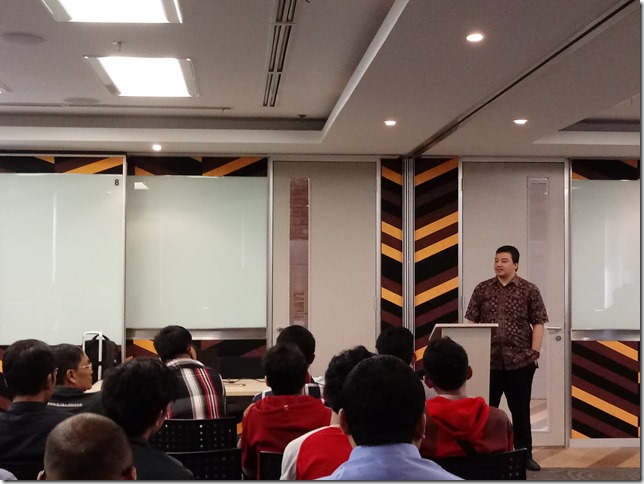
dotnetconf_fuad_devops_01
And this is some of the speakers including me:
dotnetconf_speakers_01
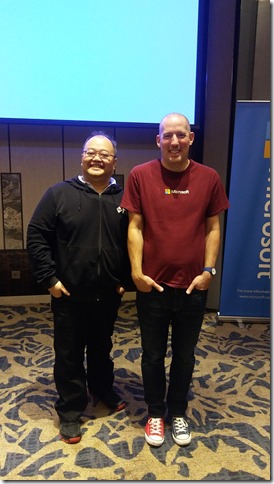
From left to right: Puja (MVP), me, Marsya (MS Indonesia), and Fadhil (MVP)
Due to the fact that many of the audiences and also developer communities in Jakarta have asked me to provide blog to track .NET Core, I will spin off a new blog that’s specific to .NET Framework and .NET Core interop!
Watch this blog for the announcement Smile

Tuesday, March 13, 2018

Speaking at MUGI Purwokerto’s meetup: Azure Day on March 3, 2018

Hi my blog audiences! Now on this March 2018, I have speaking session!
In the end of February, I got a warm speaking request from Agus Suparno. He’s a Visual Studio MVP like me, and also a chairman of MUGI Purwokerto. He cordially invited me as speaker for his MUGI Purwokerto’s meetup, themed Azure Day on March 3, 2018.
So I immediately accepted his invitation and speaking request Smile
The Azure Day meetup is held at Microsoft Indonesia, BEJ, Jakarta. Again, thanks to Microsoft Indonesia for providing the venue!
This is his initial public invitation:
MUGI_Purwokerto_AzureDay_20180310
Agus spoke about Gallery Server on Azure, one of the marketplace template on Azure to store and manage files. And yes, I spoke .NET Core on Azure!
Basically I drove the audience to have quick intro on .NET Core, then have some demos on .NET Core runs on Linux on Windows 10.
Yes, we can use Windows 10’s Windows Subsystem for Linux (WSL) feature to have supported Linux distro runs inside Windows 10. I really mean it, runs inside Windows 10 instead of running on VM!
Since Windows 10 Creators Update, you can just use add/remove Windows Feature and ensure that WSL is checked:
image
For more information, please visit this official doc on Windows 10 WSL: https://docs.microsoft.com/en-us/windows/wsl/install-win10
I have chosen Ubuntu 16 as my distro choice.
I have installed .NET Core SDK 2.0.1 before the meetup, and it installed nicely!
After installing .NET Core SDK 2.0.0, you’ll have this dotnet –info results:
image
And then you’re good to go!
It is advisable to install .NET Core SDK at least 2.1.4, because it contains latest bug fixes.
Now, using Azure, we can just use the Azure DevOps template to quickly learn the Azure integration with Visual Studio Team Services (TFS cloud version).
For the sake of simplicity and quick setup, I have created the Azure DevOps solution that has integration with my VSTS account:
image
Now, looking at the URL of the application endpoint, we have http://azureaspnetcoremugi.azurewebsites.net/
image
Yes, it runs fine and kicking!
So here’s the pictures from the meetup:
MUGI_Purwokerto_AzureDay_20180310_01
MUGI_Purwokerto_AzureDay_20180310_02
We had pictures for the attendees and speakers:
MUGI_Purwokerto_AzureDay_20180310_04
And last but not least, having closing picture with Agus and MS Indonesia’s host, Jody:
MUGI_Purwokerto_AzureDay_20180310_03
This is also the initial collaboration of MUGI Jadetabek and MUGI Purwokerto!
See you on the next MUGI sessions, my blog audiences!

Sunday, December 10, 2017

[ADVENT 2017] Current state of F# 4.x tooling and IDE ecosystem on December 2017

Hi my dear blog readers!

Thanks to Sergey Tihon for organizing this community-driven advent blog gathering in this year-end of 2017!

sergey_tihon_advent2017

So here we are, on the edge of 2017. There are lots of advances in F# toolings and ecosystem, including the nature of open source ecosystem that has been available since the beginning of F# in VS 2010. When I say F# toolings. I’m not limiting myself to F# tooling in Visual Studio. Toolings in my context is tooling in Visual Studio, Visual Studio Code, and new contender/competitor of Visual Studio IDE, Jetbrains Rider.

F# state

Most advances in F# itself are without IDE. These are the current state of F# itself:

  1. F# supports .NET Core 2.0/.NET Standard 2.0 TFM development. This is also in sync with tooling support, starting with VS 2017 15.5.0, but I suggest you to install 15.5.1 update. (Please read my notes below)
  2. F# implements async interop with C#/VB async correctly, especially those xxxTask function such as Async.StartAsTask. See https://www.visualstudio.com/en-us/news/releasenotes/vs2017-relnotes#fsharp
  3. F# now supports goto definition correctly. I know this is quite IDE-related, but it needs some reworks on existing F# compiler. Thanks to relentless community support of F# contributors, especially Saul and Vasily Kirichenko. These are the PRs related to “go to definition” works: https://github.com/Microsoft/visualfsharp/pulls?q=is%3Apr+%22go+to+definition%22+is%3Aclosed 
  4. Also now goto definition can go from F# to C#/VB.

Now, at F# IDE support:

  1. Ionide (Visual Studio Code extension for F#) gets nice updates! One of the notable feature is automatic project reloading, especially when dealing with F#/.NET Core 2.0 project. This is the latest release notes of Ionide: https://github.com/ionide/ionide-vscode-fsharp/blob/master/RELEASE_NOTES.md
  2. Jetbrains Rider (visual Studio competitor) has provided support for F#. Still, many works need to be done in .NET Core 2.0 full support. Read the original announcement of F# support here: https://blog.jetbrains.com/dotnet/2017/05/08/rider-is-now-also-an-fsharp-ide-adding-fsharp-support/
  3. In Visual Studio 2017 15.5.0: on the installation of a Workload that requires .NET Core 2.0, it will also install F# language support by default. The .NET Core, ASP.NET, and Azure workloads now do this.

Therefore, if you use Visual Studio 2017, it is highly recommended to update or directly use at least 15.5.0 update instead.

NOTE on Visual Studio 2017 15.5.0:

There’s one catch: if you use Xamarin in your worload, the 15.5.0 update on previous version will somehow override Xamarin MonoDroid VSIX packages. Fortunately, on 7th December, there is a fresh maintenance update on 15.5.0, the 15.5.1. This 15.5.1 provides the Xamarin package issue.

Now let’s meet F# and .NET Core using command prompt and in Visual Studio!


F# <3 .NET Core

Now, let’s try F# support for .NET Core.

We could check F# support availability as template, within the .NET Core tool of dotnet.

Using dotnet’s CLI tool, we can display list of templates installed in our .NET Core 2.0 SDK by using new command (parameter that acts as command to execute further) with –l for parameter of new:

dotnet new –l

On .NET Core SDK 2.0.3, run the dotnet above and we will have this list:

dotnet_sdk_203_new

Let’s just focus on Short Name and the Language section on the list:

dotnet_sdk_203_new_languages

So we can compose and create any kinds of project that has F# as language support. The Short Name will be used as new parameter to define what template we’re going to use, the language parameter define the used language.

For example, we can create .NET Core console app with F#:

dotnet new console -n HelloFSharp -lang F#

NOTE: we should use -name parameter to give name to our project, instead of having default name from the template.

Run that in command prompt, we will have the creation of F# .NET Core 2.0 console project:

dotnet_new_console_fsharp

Now let’s look at the content of Program.fs:


// Learn more about F# at http://fsharp.org

open System

[]
let main argv =
    printfn "Hello World from F#!"
    0 // return an integer exit code

Yes, it’s the same as our good old .NET Framework’s F# Console template from VS 2010/2012/2013/2015!

Then we can run it:

dotnet_run_fsharp

We can also provide more granular TFM as the target framework, but this option is only available for classlib template, not for console project template.

For more information, please visit dotnet new docs page: https://docs.microsoft.com/en-us/dotnet/core/tools/dotnet-new?tabs=netcore2x

What about Visual Studio 2017?

In Visual Studio 2017 starting from 15.5.0, we now have this:

VS2017_FS_template

YES! We now have F# .NET Core 2.0 fsproj support within Visual Studio 2017!

What are you waiting for? Go code in F# now!

Saturday, October 21, 2017

Participating in Microsoft’s Mission Mars of building chat bot using Bot Framework (as JakartaJS meetup workshop)

As one of Microsoft MVP in Indonesia, I’m often being asked to help other developer community to thrive and also to share knowledge. One sample of this is when I helped Software Architect Indonesia Community (SARCCOM) as speaker for their Meetup event: https://www.meetup.com/Software-Architect-Indonesia/events/242334607/

In early October 2017, I was asked by MS Indonesia to participate in 2 days event: MS Chat bot development training for community leaders and MVP to be trained as trainers, and the second day is helping as trainer assistant for Chat bot development to train for public (for everyone).

First, thanks to Microsoft Indonesia for this opportunity! I’m so glad that I get invited to this event while sharpening my skillset about developing Bot using MS Bot Framework! YES! Open-mouthed smile
It’s interesting to know that this event is part of Microsoft’s Mission Mars series, and usually Mission Mars is often held in outside Indonesia.

The event is held at Sheraton Hotel, Gandaria City, Jakarta, Indonesia.

The chat bot event

So, here is the event:

image

The trainer to train on day 1 is from Microsoft directly from US: Christopher Harrison!

Christopher Harrison is known for his MVA videos! This is also his MVA video on Bot Framework: https://mva.microsoft.com/en-us/training-courses/creating-bots-in-the-microsoft-bot-framework-using-c-17590

FYI, MS Bot Framework landing page is: https://dev.botframework.com/

And the official documentation is at: https://docs.microsoft.com/en-us/bot-framework/ and don’t forget to also contribute to the docs repo. Microsoft is always welcoming contribution to every Docs page of https://docs.microsoft.com/

It’s nice to know that this training is NOT just for MS MVP, but Microsoft Indonesia was inviting other Indonesian community leader such as leader from Python, Javascript, Ruby communities!

As a matter of fact, Microsoft Indonesia helped Jakarta Javascript community to have other workshop for the next day:

image

Therefore it’s always good to know that MS is really open!

The training was on 16th October, and the workshop was on 17th October.


The bot development training

The bot development training was focused as steps, fortunately we could see and try the steps directly from Mission Mars github: https://github.com/MissionMarsFourthHorizon/operation-max

The interesting thing about this sample steps tutorial is written in C# and Node.JS. So .NET is not required, you can choose to have NodeJS to create bot.

These are the pictures from the training day:

20171016_10113120171016_102214

20171016_10250720171016_134913

And here are the pictures of Christopher Harrison, the community leaders, and MVPs (including me, Kiki, Fadhil)

20171016_17252020171016_172756


And then, the next day, we helped Christopher Harrison to train!

Here are the shots after the training for public:

20171017_121556

And I sneak my opportunity to take picture with my APAC MVP Lead, Soyoung Lee:

20171017_110709

And also with my frieds: Irving Hutagalung and Anggita (from Microsoft Indonesia):

20171017_162233

GREAT!!!

Saturday, October 14, 2017

Speaking at MUGI Jakarta Gathering 2017 (October 2017)

Hi my blog 6audiences! Now it’s my speaking time for MUGI (Microsoft User Group Indonesia) community for Jadetabek (Jakarta, Tangerang, Bekasi region) under the umbrella of MUGI Nasional (nationwide). Although MUGI has quite a long hiatus (for about 7 months), we’re now ready to gather again full speed ahead.

Basically MUGI is a community of Microsoft’s product users ranging from MS Office users, Visual Studio developers (including C#/F#/VB/Xamarin/WPF/.NET), IT-pro (Windows Server, Exchange Server, Sharepoint) and other software users such as database developers that use SQL Server.

The event is called MUGI Jakarta Gathering 2017, on 7th October 2017. Thanks to Microsoft Indonesia’s support, we have venue support at Microsoft Indonesia’s office, located at BEJ Indonesia.

Thanks to the works of Hendra and Leo, we have secured some sponsorship fundings from Rhipe, Dell, Infront, Gulver and Omaging. Many thanks, guys!

MUGI_Jakarta_2017October_600_464823086

The speaking sessions are not  just me, there are from IT-pros such as talks from Leonardo, Hendra, and Fazar. Also a power user talk from Abdullah, as lead of MUGI nationwide.

About 2 months ago I have been assigned as MUGI Jadetabek lead, therefore I’m eager to have this meetup more frequent!

I gave talk about C# and Visual Studio 2017, especially what’s new since VS 2015 and VS 2017.

MUGI_Jadetabek_2017Oct_PowerPoint

Yes, C# 7.0 now has REPL, a feature that F# already has since initial release of F# 1.0!

But most of my talk is demo, based on the audience’s requests.

20171007_094257

Here’s some other pictures:

20171007_090714

Here is Abdullah gave talk about Digital Transformation:

20171007_091804

Here’s Leonardo Irawan brought Windows Server 2016:

20171007_111708

And here we had little break in the middle of sessions:

20171007_121606-1

And Hendra in action:

20171007_13022820171007_130536

And we are having a photo session for all audiences and speaker: (Leo did not join)

20171007_154410-1

Thanks for this memorable meetup, guys!

Next, MUGI Jadetabek has plan to have meetups about DevOps in December or no later than January 2018.

Sunday, April 23, 2017

Speaking at Global Azure Bootcamp 2017 in Jakarta

Hi my dear blog readers!

I’m glad to share my experiences when I was speaking on Global Azure Bootcamp in Jakarta, on  22th April, 2017!

This is my first time speaking for Global Azure Bootcamp, many thanks to my Indonesian community DX, Irving Hutagalung and his staff, Debby, and my MUGI best friend Aprizon for giving me the chance to speak at this cool event!

Actually, Global Azure Bootcamp is a global wide event that is held simultaneously at the same day (or one day after) around the world. So there are Global Azure Bootcamp not just in Indonesia, but there were same events (but with separate speakers) in many other countries such as Singapore, Malaysia, Srilanka, Philippines. Mostly organized by Microsoft’s local country DX and MVP, this event is so crucial because it has full supports from Microsoft, including free Azure pass (Azure trial subscription).

global_azure_bootcamp_2017_jakarta

Also thanks to the hard works of Aprizon and his colleagues, we have managed to secure a space for 60 people at IDX Jakarta.

There were many questions and critics as well especially for the lack of adequate documentations about Azure, but now we have a good supports from Indonesia’s support from MIcrosoft’s local support staffs.

My session is about Azure Functions in multiple languages and the implication of having serverless applications. I had demo of Azure Functions using Visual Studio 2015 Update 3 with Azure SDK 2.9.6 and Azure App Services Preview tooling installed.

This Azure App Services tool is essential, because it’s integrated with Visual Studio and supports debugging (through Azure Functions CLI) although it is in preview.

AzureAppServices_VS2015

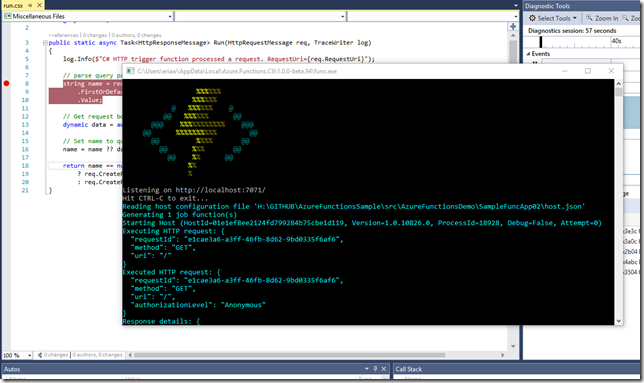
Here’s Azure Functions ran and debugged locally in Visual Studio:

AzureFunctions_run_local_VS2015

Notice the Azure Functions logo shown in console of Azure Functions CLI Smile

The Azure App Services preview is available to download at:

https://aka.ms/azfunctiontools

NOTE: this tool requires that Azure SDK 2.9.6 preinstalled first on Visual Stuido 2015 Update 3.


Global Azure Bootcamp 2017 Jakarta session photos

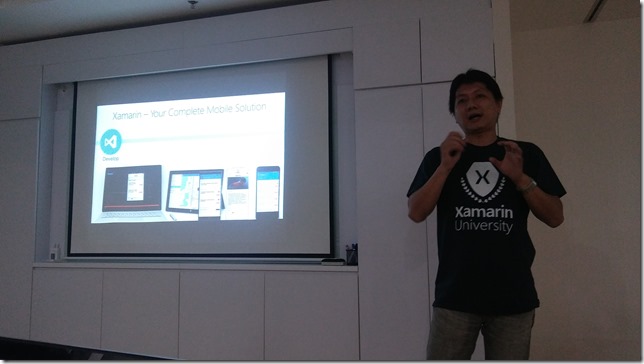
Here are my session photos:

20170422_143019

20170422_144124

20170422_145153_HDR

Yup, VIsual Studio 2015 was showing many/multiple language template!

Here are others in action: (Aprizon, Leonardo Irawan, Julius Fenata)

20170422_111704

20170422_132557

20170422_153228

Well? Can’t wait to do more on the next Azure Global Bootcamp!