Showing posts with label Visual Studio. Show all posts

Sunday, March 1, 2020

Representing as Microsoft MVP at DevCon Digital Economy Summit

Hi guys!
I'm humbly proud that I have participated at the DevCon Digital Economy Summit 2020 that hosted by Microsoft Indonesia!
This event is held at Ritz Carlton Hotel, Pacific Place, Jakarta.

I was part of MVP Indonesia team that helps Microsoft Indonesia to promote, spread the event information, and also taking care of special MVP Indonesia's booth.


We are sooo honored to have President of Indonesia, HM Joko Widodo and MS CEO, Satya Nadella!


Here's me and fellow MVPs (Andri Yadi), taking care of MS MVP Booth, answering any questions about software development, .NET, and Visual Studio:


And we (Andri Yadi, Agus Suparno, Adiityo) still had some fun taking pictures with MS Asia's Annie Matthew and MS Indonesia's Irving Hutagalung:


Yup, I'm glad that I could provide help for software developer communities thru this conference! 😉


Sunday, December 22, 2019

[ADVENT 2019] F# Advent 2019: Revisiting Windows Forms and WPF in F# on .NET Core 3.1

Hi my blog readers!

Now it's time for F# Advent 2019! This annual advent showcases F# bloggers and their articles, in December, thanks to Sergey Tihon, a fellow MS MVP. This year, the complete list of F# Advent 2019 is available at: https://sergeytihon.com/2019/11/05/f-advent-calendar-in-english-2019/

I had submitted schedule for 22nd December by replying to his tweet: https://twitter.com/sergey_tihon/status/1191558104506343425

So let me bring you F# on top of .NET Core 3.1, with code that runs Windows Forms (a.k.a. WinForms) and WPF.

Is this possible? The simple answer is YES. Although there's no new template to create WinForms and WPF in "dotnet new".

The list of available templates are shown when we execute "dotnet new -h":


Yes, it's only available for C#:


So how to have these WPF and WinForms using F#?

It is a bit tricky, but thanks to .NET Core 3.0's new ways of referencing "contextual" technology references, we can leverage WPF and WinForms.

Before .NET Core 3.0

Before .NET Core 3.0, we have to use metapackages combined with specific SDK header in the csproj/fsproj/vbproj, and this metapackage combination with SDK are somehow hard to understand.

It is not so obvious that the SDK and the metapackage are not well integrated, because you still have to specify some of the .NET Core libraries to use as nuget package references. This is quite common in ASP.NET Core templates before 3.0.

Let's use the .NET Core 2.2 latest SDK, 2.2.207 to illustrate this.
To ensure that I'm using at least SDK 2.2.207, I use global.json on the solution/project folder to enforce .NET Core to use the SDK version I want, not choosing the latest release of SDK available.

I had created a global.json file with SDK version, by using the "dotnet new global.json --sdk-version 2.2.207" on command prompt.

This is the content of the global.json:

{
  "sdk": {
    "version": "2.2.207"
  }
}

We can test this by running "dotnet --version", and it will give you the version of the SDK as set in the global.json file.

To create an ASP.NET Core MVC web app in .NET Core 2.2, we use this template when creating using "dotnet new". Now let's create new F# ASP.NET Core MVC and named is as FSharpMVC:

dotnet new mvc -n FSharpMVC -lang F#

This is the content  of the FSharpMVC.fsproj file:


And there is a nuget package reference to "Microsoft.AspNetCore.App", and this is a sample of a metapackage.

Also note the use of SDK in the <Project> header:
Sdk="Microsoft.NET.Sdk.Web"

This means that this is generated using ASP.NET Core template. Unfortunately, not all the ASP..NET Core libraries are included in that metapackage. You still have to reference them as nuget package references, and at many times this may get messy.

For example: references to Microsoft.Extensions.Configuration.* are all have to be referenced as nuget packages explicitly, Also before .NET Core 3.0, there's no support for WinForms and WPF.

After .NET Core 3.0

Now we have WinForms and WPF support as port from .NET Framework to .NET Core in .NET Core since 3.0.

In this article, I focus on .NET Core 3.1 because this is the LTS release. The LTS means that this release of 3.1 has long time support compared to 3.0.

On the SDK,, I use .NET Core 3.1.100 SDK at the time of this writing.

To create a new F# project to have WinForms and WPF, I could just use console as template. Because currently no default template support for F# for WinForms and WPF.

We should use global.json to enforce the SDK to be 3.1.100, then create the project, like this:

dotnet new console -n FSWinfowsDesktop -lang F#

By default, console project of F# and C# always have base SDK in the <Project> header.
Now let's look at the content of FSWindowsDesktop:


We can leverage the "FrameworkReference" to have references to .NET Core SDK libraries in a separated contexts as previously described as metapackage before 3.0. This is an often overlooked features, although it is very useful!

The Framework reference in .NET Core 3.0/3.1 describes what libraries we want to use besides the base .NET Core libraries. Using VS 2019 16.3.x or later, the FrameworkReferences is shown nicely as "Frameworks":


The Microsoft.NETCore.App is always referenced by default, because this FrameworkReference is the base .NET Core library.

The available valid FrameworkReferences values are available under the Dotnet installation folder under "Shared" of "Program Files" for 64-bit, or "Program Files (x86)" for 32-bit.


Now let's add the Microsoft.WindowsDesktop.App as FrameworkReference, and also explicitly tell the project to use WinForms using <UseWindowsForms> set to true.

We now have this:


Then we can now leverage the references inside our F# code, using the open namespace and we are also guaranteed to have the namespaces available in the intellisense!


To use WPF, we can use <UseWPF> and set to true.
Also we can have both WPF and WinForms by having both <UseWindowsForms> and <UseWPF> both set to true, as long as we have FrameworkReference to Microsoft.WindowsDesktop.App.

To see this sample as a complete sample with the global.json file, I have made the source code available on my GitHub:
https://github.com/eriawan/netcore-fsharp-sample

And last but not least, Merry Christmas and have a happy F# Advent 2019!

😀

Sunday, December 10, 2017

[ADVENT 2017] Current state of F# 4.x tooling and IDE ecosystem on December 2017

Hi my dear blog readers!

Thanks to Sergey Tihon for organizing this community-driven advent blog gathering in this year-end of 2017!

sergey_tihon_advent2017

So here we are, on the edge of 2017. There are lots of advances in F# toolings and ecosystem, including the nature of open source ecosystem that has been available since the beginning of F# in VS 2010. When I say F# toolings. I’m not limiting myself to F# tooling in Visual Studio. Toolings in my context is tooling in Visual Studio, Visual Studio Code, and new contender/competitor of Visual Studio IDE, Jetbrains Rider.

F# state

Most advances in F# itself are without IDE. These are the current state of F# itself:

  1. F# supports .NET Core 2.0/.NET Standard 2.0 TFM development. This is also in sync with tooling support, starting with VS 2017 15.5.0, but I suggest you to install 15.5.1 update. (Please read my notes below)
  2. F# implements async interop with C#/VB async correctly, especially those xxxTask function such as Async.StartAsTask. See https://www.visualstudio.com/en-us/news/releasenotes/vs2017-relnotes#fsharp
  3. F# now supports goto definition correctly. I know this is quite IDE-related, but it needs some reworks on existing F# compiler. Thanks to relentless community support of F# contributors, especially Saul and Vasily Kirichenko. These are the PRs related to “go to definition” works: https://github.com/Microsoft/visualfsharp/pulls?q=is%3Apr+%22go+to+definition%22+is%3Aclosed 
  4. Also now goto definition can go from F# to C#/VB.

Now, at F# IDE support:

  1. Ionide (Visual Studio Code extension for F#) gets nice updates! One of the notable feature is automatic project reloading, especially when dealing with F#/.NET Core 2.0 project. This is the latest release notes of Ionide: https://github.com/ionide/ionide-vscode-fsharp/blob/master/RELEASE_NOTES.md
  2. Jetbrains Rider (visual Studio competitor) has provided support for F#. Still, many works need to be done in .NET Core 2.0 full support. Read the original announcement of F# support here: https://blog.jetbrains.com/dotnet/2017/05/08/rider-is-now-also-an-fsharp-ide-adding-fsharp-support/
  3. In Visual Studio 2017 15.5.0: on the installation of a Workload that requires .NET Core 2.0, it will also install F# language support by default. The .NET Core, ASP.NET, and Azure workloads now do this.

Therefore, if you use Visual Studio 2017, it is highly recommended to update or directly use at least 15.5.0 update instead.

NOTE on Visual Studio 2017 15.5.0:

There’s one catch: if you use Xamarin in your worload, the 15.5.0 update on previous version will somehow override Xamarin MonoDroid VSIX packages. Fortunately, on 7th December, there is a fresh maintenance update on 15.5.0, the 15.5.1. This 15.5.1 provides the Xamarin package issue.

Now let’s meet F# and .NET Core using command prompt and in Visual Studio!


F# <3 .NET Core

Now, let’s try F# support for .NET Core.

We could check F# support availability as template, within the .NET Core tool of dotnet.

Using dotnet’s CLI tool, we can display list of templates installed in our .NET Core 2.0 SDK by using new command (parameter that acts as command to execute further) with –l for parameter of new:

dotnet new –l

On .NET Core SDK 2.0.3, run the dotnet above and we will have this list:

dotnet_sdk_203_new

Let’s just focus on Short Name and the Language section on the list:

dotnet_sdk_203_new_languages

So we can compose and create any kinds of project that has F# as language support. The Short Name will be used as new parameter to define what template we’re going to use, the language parameter define the used language.

For example, we can create .NET Core console app with F#:

dotnet new console -n HelloFSharp -lang F#

NOTE: we should use -name parameter to give name to our project, instead of having default name from the template.

Run that in command prompt, we will have the creation of F# .NET Core 2.0 console project:

dotnet_new_console_fsharp

Now let’s look at the content of Program.fs:


// Learn more about F# at http://fsharp.org

open System

[]
let main argv =
    printfn "Hello World from F#!"
    0 // return an integer exit code

Yes, it’s the same as our good old .NET Framework’s F# Console template from VS 2010/2012/2013/2015!

Then we can run it:

dotnet_run_fsharp

We can also provide more granular TFM as the target framework, but this option is only available for classlib template, not for console project template.

For more information, please visit dotnet new docs page: https://docs.microsoft.com/en-us/dotnet/core/tools/dotnet-new?tabs=netcore2x

What about Visual Studio 2017?

In Visual Studio 2017 starting from 15.5.0, we now have this:

VS2017_FS_template

YES! We now have F# .NET Core 2.0 fsproj support within Visual Studio 2017!

What are you waiting for? Go code in F# now!

Saturday, October 14, 2017

Speaking at MUGI Jakarta Gathering 2017 (October 2017)

Hi my blog 6audiences! Now it’s my speaking time for MUGI (Microsoft User Group Indonesia) community for Jadetabek (Jakarta, Tangerang, Bekasi region) under the umbrella of MUGI Nasional (nationwide). Although MUGI has quite a long hiatus (for about 7 months), we’re now ready to gather again full speed ahead.

Basically MUGI is a community of Microsoft’s product users ranging from MS Office users, Visual Studio developers (including C#/F#/VB/Xamarin/WPF/.NET), IT-pro (Windows Server, Exchange Server, Sharepoint) and other software users such as database developers that use SQL Server.

The event is called MUGI Jakarta Gathering 2017, on 7th October 2017. Thanks to Microsoft Indonesia’s support, we have venue support at Microsoft Indonesia’s office, located at BEJ Indonesia.

Thanks to the works of Hendra and Leo, we have secured some sponsorship fundings from Rhipe, Dell, Infront, Gulver and Omaging. Many thanks, guys!

MUGI_Jakarta_2017October_600_464823086

The speaking sessions are not  just me, there are from IT-pros such as talks from Leonardo, Hendra, and Fazar. Also a power user talk from Abdullah, as lead of MUGI nationwide.

About 2 months ago I have been assigned as MUGI Jadetabek lead, therefore I’m eager to have this meetup more frequent!

I gave talk about C# and Visual Studio 2017, especially what’s new since VS 2015 and VS 2017.

MUGI_Jadetabek_2017Oct_PowerPoint

Yes, C# 7.0 now has REPL, a feature that F# already has since initial release of F# 1.0!

But most of my talk is demo, based on the audience’s requests.

20171007_094257

Here’s some other pictures:

20171007_090714

Here is Abdullah gave talk about Digital Transformation:

20171007_091804

Here’s Leonardo Irawan brought Windows Server 2016:

20171007_111708

And here we had little break in the middle of sessions:

20171007_121606-1

And Hendra in action:

20171007_13022820171007_130536

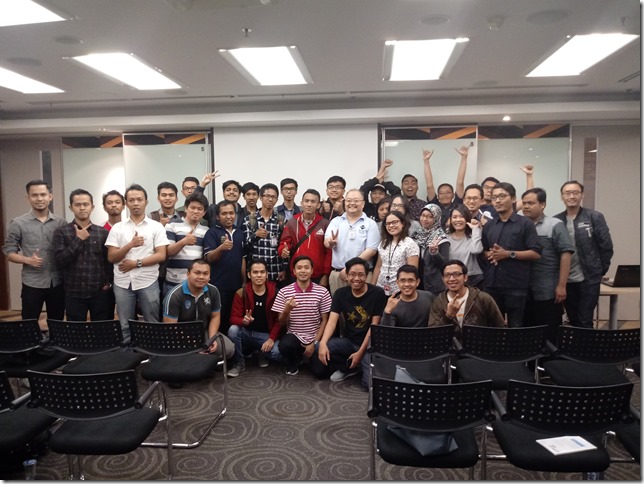
And we are having a photo session for all audiences and speaker: (Leo did not join)

20171007_154410-1

Thanks for this memorable meetup, guys!

Next, MUGI Jadetabek has plan to have meetups about DevOps in December or no later than January 2018.

Monday, January 25, 2016

Current state of Visual Studio releases [January 2016]

Hi my dear blog readers!

The “Current state of Visual Studio releases” series has been quite in active for about 4 months. I know this is supposed to be updated regularly, but unfortunately there are very rare notable news and updates of Visual Studio and Microsoft’s Developer Division.

Also the series got a bit delayed, because I was focusing on previous Lambda Jakarta coding dojo meetup.

From the beginning of December 2015 to 20th January 2016, these are the updates of Visual Studio:

  1. Support period ending for .NET 4, 4.5, and 4.5.1
  2. The release of Visual Studio 2015 Update 1 (on November 30, 2015)
  3. Node.js Tools for Visual Studio version 1.1 released (on November 17, 2015)
  4. First preview of Visual Studio Java Language Service for Android

Now, let’s discuss those three! Except for the last one (number #4), I haven’t got the chance to fully use it.

This is still in preview, for more information please see the blog: https://blogs.msdn.microsoft.com/vcblog/2015/11/06/java-debugging-and-language-support-in-visual-studio-for-android/

Now, let’s start!

Support ending for .NET 4, 4.5 and 4.5.1

The original announcement is here: http://blogs.msdn.com/b/dotnet/archive/2014/08/07/moving-to-the-net-framework-4-5-2.aspx

This simply translate as “Microsoft will not provide supports anymore for .NET 4.0, 4.5, and 4.5.1 and this include hotfixes for these releases”. The next message is simply please update to at least .NET 4.5.2 or even better, 4.6.

The follow up of the original announcement is here: https://blogs.msdn.microsoft.com/dotnet/2015/12/09/support-ending-for-the-net-framework-4-4-5-and-4-5-1/

The interesting fact is from the link above is:

Applications targeting a .NET Framework version that is no longer supported will not need to retarget or recompile to a newer version as they can be run on a later .NET Framework version. The .NET Framework 4.5.2 and higher versions have higher compatibility, provided by a newer feature called “quirking”. Quirking is a pattern in which a .NET Framework version maintains the semantics of earlier versions, while including updated implementations. The .NET runtime knows which of these semantics or quirks to execute depending on the .NET Framework version that the application targets. More information on migrating an application can be found on the Migration Guide to the .NET Framework MSDN article.

Put it simply, it matches with my translation above. I believe this will bring more burden on the enterprise IT operations especially those that focusing on premises (instead of cloud such as Azure), because .NET 4.5 is still quite new for them.

It’s quite new for them, because .NET 4.5 was released in 2012 (with the same release date of Visual Studio 2012, and also Windows 8/Windows Server 2012). Fast forward to now, end of year of 2015, only less than 3 years but they have to immediately upgrade. Less than three years of platform update is inevitable,

This end of support is not just for us, developers. For those develop .NET applications that runs on Azure, the upgrades on Azure are necessary. Fortunately Microsoft has provided updated images (mostly in form of Virtual Machines) that more focusing on .NET 4.5.2 and above (including .NET 4.6).

Visual Studio 2015 Update 1 RTM

This release although it might seems a service release, it really contains many new things.

These are new features brought by Update 1:

  • Visual C#
  • Debugging enhancements (Visual C++ and IDE aspect)
  • Tools for Apache Cordova (now Update 5)
  • Tools for Universal Windows Apps version 1.2

And many more! For complete list of release notes, visit: https://www.visualstudio.com/news/vs2015-update1-vs

Let’s visit some of the new features:

Visual C# new features

This Update 1 brings you C# Interactive Window and C# scripting API. This C# interactive window is very much like F# interactive window, except it has these two quite subtle differences: it has intellisense and type coloring!

csinteractive_vs_update1

If you are wondering what to do at the C# interactive window, just type “#help” like above.

And now we have C# scripting API. Unfortunately, the documentation of C# scripting API is still incomplete and I could not test it further.

One thing is still missing: VB.NET Interactive window! Unfortunately, we won’t see VB.NET interactive in Visual Studio 2015 at all, even after Update 1.


Debugging and diagnostic enhancements

In VIsual C++, now we have support for Edit and Continue for /BigObj. This looks like minor feature but this is very important, because it enables debugging with Edit and Continue support for WIndows Store applications that’s written in C++.

In Visual C# and Visual Basic, now we have “Go to implementations” feature when you activate context menu in the source code window. This item will display the implementation of the object you want to observe, not just having knowing “Go to definitions” that was available since VS 2002 (also called Visual Studio .NET 2002).

cs_gotoimplementation

Yup, it’s a minor addition but it’s useful!

There’s also enhancements on Code Analysis, but unfortunately it’s not for Visual Studio Express Edition.

Tools for Apache Cordova (a.k.a. TACO) Update 5

The notable feature is support for iOS 9 and experimental support for Android M, a.k.a. “Marshmallow”. Now TACO is maturing well. The overall experience of using this release is much better than previous releases, including better performance especially responsiveness of the emulators when running Cordova applications.

Beginning with this Update 5, the Node.js will only focus on Node.js version 5. So please update your Node.js installation as well to focus on Node.js 5 and above!

For more information on this TACO update 5, visit: http://taco.visualstudio.com/en-us/docs/release-update-5/

Node.js tools for Visual Studio version 1.1

This is a very useful tool, and sometimes I use this tool to debug certain Node.js package or applications. Having Node.js support in Visual Studio is a very nice feature although this tool is available as Visual Studio extension:

Nodejs_tool_vs

For more information, please visit the official repo of Node.js for Visual Studio: https://github.com/Microsoft/nodejstools

Yes, it’s OPEN SOURCE!

After you download from the Visual Studio Extension and Updates (or you can get from VS Gallery), simply install the MSI:

nodejs_tool_vs_installation

The installation for this release, 1.1.1 will take about 5-7 minutes on VS 2015 Update 1.

One thing you must remember: it needs Node.js at least version 0.91 but it’s recommended to install Node.js 5.

Now, Visual Studio 2015 will have these new project templates: (under TypeScript)

Nodejs_tool_vs_templates

Now, enjoy and I welcome discussions! Smile

Saturday, December 12, 2015

What’s new in F# 4.0 in Visual Studio 2015

Hi my blog readers!
Today I’m going to share information about F# in Visual Studio 2015.
When Visual Studio 2015 was first released, F# was also released as F# 4.0. Put it simply, Visual Studio 2015 has F# 4.0 in it, or you can view it other way: F# 4.0 was released at the same time as Visual Studio 2015 released.
A complete list of F# 4.0 new features, enhancements and bug fixes are available in F# Github repository in the form of markdown page: https://github.com/Microsoft/visualfsharp/blob/fsharp4/CHANGELOG.md
There many nice features and bug fixes! But for me, based on the previous link, the nice parts of new features of F# 4.0 are:
  1. Constructors can be treated as first class functions
  2. Support for high dimensional arrays is now in sync with .NET 32 dimensions array. Previously F# only supported up to 4 dimensional arrays.
  3. Synchronize of “API parity” for List, Array, and Sequence, including additional new APIs: chunkBySize, contains, except, findBack, findInstanceBack, indexed, item, mapFold, mapFoldBack, sortByDescending, sortDescending, splitInto, tryFindBack, tryFindIndexBack, tryHead, tryItem, tryLast
  4. Slicing support for List
  5. Supports for VS debugger for debugging F# script
Important notes:
  1. Slicing support for List is quite comfortable, but please be careful that this List is F# List, not the original .NET’s System.Collections.Generic.List. F# List is implemented as linked-list, this is why the original F# List has no inherent support for index before F# 4.0. Actually and it’s natural to have an index, because slicing support requires to have an index.
  2. High dimensional arrays are not available in all of the F# APIs. There’s no API for manipulating arrays that has dimensions above 4 dimensions.
For more information about the general enhancements, see this blog post: http://blogs.msdn.com/b/fsharpteam/archive/2014/11/12/announcing-a-preview-of-f-4-0-and-the-visual-f-tools-in-vs-2015.aspx
Tomorrow I’ll discuss the new features above with some samples!

Friday, May 22, 2015

Current state of Visual Studio releases [May 2015]

Hi my blog readers! I know, this blog installment should be out regularly at 19th or 20th May, but there are many things to be discussed and lots of excitements to be shared for you before I publish this. So please be with me Smile

This is the third installment of Visual Studio releases update. In this installment, again, there are many exciting news about Visual Studio!

Here they are:

  1. The release of Visual Studio 2015 Release Candidate (also called Visual Studio 2015 RC) on 29th April 2015
  2. The release of Visual Studio 2015 SDK Release Candidate (also called Visual Studio 2015 SDK RC) on 29th April 2015
  3. The release of Visual Studio Code (preview)
  4. The release of Visual Studio 2013 Update 5 Release Candidate on 28th April 2015
  5. Github Extension for Visual Studio 2015 release (it’s also available as an option when installing Visual Studio 2015 RC)

Now here are the breakdown of those above. A friendly warning: this is a loooong list, a little bit TLDR.

Visual Studio 2015 Release Candidate

As usual, if Microsoft releases a software that has RC mark, the RTM release is near: within 3-4 months. Yes, it’s at faster cadence as indicated by my previous blog almost 2 years ago: http://fsharpmonologue.blogspot.com/2013/07/current-state-and-product-lifecycle-of.html

NOTE: This meaning of RC thing may be only apply at Microsoft world and this is common at least in the last 14 years (since Windows XP). In detail, the release of RC means the feature is fixed. This simply means that there will be no new features for the next release for the RTM. The next release of RC can be RC2 or the release, usually (officially) named as RTM, or Release-To-Market.

Even at the release of VS 2010, this trend of faster cadence has stabilized. Yes, there was broken rule of semantic versioning between VS 2012 and 2013, and it was quite annoying. The new version of Visual Studio 2013 should be bringing more features instead of just minor updates and fixes.

Fortunately, Visual Studio 2015 has many good news:

  1. It’s not just a new release, it has tons of new features compared to Visual Studio 2013
  2. VS 2015 has Roslyn (VB and C# compiler as a service) built in. And it’s also open source!
  3. Because of the nature of opening Roslyn, the communities are actively influencing the development of Roslyn and therefore the proposals of features are rapidly introduced and many of them are very good!
  4. The Visual Studio 2015 family has different products, but the price will be lower than the previous Visual Studio 2013 with MSDN subscription offers. This also includes the next release of Visual Studio 2013 Community Edition, the Visual Studio 2015 RC Community Edition. There will be NO Visual Studio Premium with MSDN subscription for Visual Studio 2015, as the VS 2015 Premium is named as Visual Studio 2015 Professional. The original VS 2015 Professional offering is now Community Edition.
  5. CodeLens is available on Visual Studio 2015 Professional. Originally it was available only at Visual Studio 2013 Ultimate Edition since Visual Studio 2013 Ultimate Edition Update 2.
  6. The original Ultimate edition is now available named as Enterprise edition in VS 2015

The official announcement is available at Visual Studio blog: http://blogs.msdn.com/b/visualstudio/archive/2015/04/29/build-2015-news-visual-studio-code-visual-studio-2015-rc-team-foundation-server-2015-rc-visual-studio-2013-update-5.aspx

You can download Visual Studio 2015 RC (Community, Professional, Enterprise) at: https://www.visualstudio.com/downloads/visual-studio-2015-downloads-vs

VS_2015_RC_download

Visual Studio 2015 SDK Release Candidate

This SDK is released at the same time of Visual Studio 2015 Release Candidate. It is also contains the implementation of Roslyn integrated into the way of Visual Studio extension development.

You can also try the samples (included in the SDK) and experiment cool new features of Roslyn, such as building AST of the code (C# and VB only) and analyze your code.

One of the nice features of Visual Studio 2015 is the Light Bulb suggestions when you code using built in managed languages (VB, C#, F#, managed C++) and native C++. Therefore you can also build your own custom Light Bulb suggestions using Visual Studio 2015 SDK. For more information about custom Light Bulb development, visit: https://msdn.microsoft.com/en-us/library/dn903708(v=vs.140).aspx

The official announcement of VS 2015 SDK RC is available at the same Visual Studio blog entry above: http://blogs.msdn.com/b/visualstudio/archive/2015/04/29/build-2015-news-visual-studio-code-visual-studio-2015-rc-team-foundation-server-2015-rc-visual-studio-2013-update-5.aspx

Visual Studio 2015 SDK RC can be downloaded at: http://www.microsoft.com/en-us/download/details.aspx?id=46850

Visual Studio Code

A new Visual Studio family is here! It’s very light, free, and cross platform!

Now why I emphasize this? There has been a strong image that Visual Studio will never have lightweight editor that runs on OS other than Windows!

What is Visual Studio Code, really?

It is simply a lightweight development editor but with intelligent features partially borrowed from a full big IDEs such as intellisense, code completion, keyword highlights. It’s based on Omnisharp, a lightweight editor that is also open source. The web development editing part is based on Electron, a subpart of Atom which is also open source. Omnisharp itself is an Atom package that provides C# and ASP.NET support.

At the time of this writing; Visual Studio Code isn’t yet reached RTM. The initial version number is version 0.1.0.

This is the official home page of Visual Studio Code: https://code.visualstudio.com/

One more thing, I have mentioned cross platform! Because Visual Studio Code runs not just on Windows, but it can run on Linux Linux 64-bit, and MacOS.

To download the current Visual Studio Code, you can get it at the landing page (home page) above.

Visual Studio 2013 Update 5 Release Candidate

Yes, you got it right: it’s another update for Visual Studio 2013 after Update 4.

Now what does this Update 5 have? Actually, it’s simply Update 4 with numerous bug fixes and a small additional feature, including these notable bug fixes:

The additional small features are:

  • Team Project rename support for Team Foundation Server (on premises). Visual Studio Online also has this feature.
  • A new query token for query iteration: @CurrentIteration (it is case sensitive name). This feature is previously available on Visual Studio Online since March 10. See https://www.visualstudio.com/en-us/news/2015-mar-10-vso.aspx

NOTE:

This update is the last release of Visual Studio 2013 update, so there will be no next Visual Studio 2013 Update after Update 5.

Github Extension for Visual Studio 2015

There is support for GitHub built in, not just Git repo support since Visual Studio 2013 initial RTM release. This extension is available as an option when installing VS 2015 or as stand alone installation.

Not just GitHub, but initial feature of pull request, merge, diff, sync, graph is also available.

This is the announcement from official Visual Studio blog: http://blogs.msdn.com/b/visualstudio/archive/2015/04/30/announcing-the-github-extension-for-visual-studio.aspx

The picture below is taken from the blog entry:

4048.BUILD2015-GithubExt-Team Explorer

To download stand alone installation of this GitHub extension, visit: https://visualstudio.github.com/?CR_CC=200627595

Thursday, March 26, 2015

Current state of Visual Studio releases [March 2015]

Hi, my blog readers!

This is the second installment of Visual Studio releases update information on March 2015.

For complete series of Visual Studio releases update of my blog, go to: http://fsharpmonologue.blogspot.com/search/label/Visual%20Studio%20release%20state%20update

For March 2015, we have exciting news about Visual Studio! There are:

  1. Visual Studio 2015 CTP 6 (February 2015)
  2. Team Foundation Server 2015 CTP (February 2015)
  3. Tooling SDK of Windows 10 (official name: Visual Studio Tools for Windows 10 Technical Preview2015

This update is a little bit late (it should be on 19th or 20th March), as I was keeping up with the streaming broadcast of dotnetconf 2015.

The dotnetconf 2015 is an online conference for all of .NET update including .NET Core, WPF, ASP.NET, Roslyn, F# and many more!

Didn’t have time to watch? Watch or download offline at: http://channel9.msdn.com/Events/dotnetConf/2015

ENJOY!

Now, here are the updates…

Overview of the updates on March 2015


Now let’s dive into those three above!

Visual Studio 2015 CTP 6

Visual Studio 2015 is at CTP 6. The CTP marks that this release is not for “go live” or for production environment. I will keep stating (or reminding) this as many of you, blog readers, including my friends are confusing the CTP for production environment.

This CTP 6 contains these notable features and improvements:

  • UI debugging tool for XAML
  • Single sign in (with integration to other cloud based authentication)
  • Code Lens improvement for Git and also with support for C++, Javascript, and SQL script
  • Code Maps improvements such as filtering, faster display (faster diagram rendering) performance
  • Visual Studio tools for Cordova now supports Android 4.4 and 5.0 (Lollipop)
  • Javascript editor improvement: support for // TODO comments, object literal intellisense
  • and many more!

For complete list of CTP 6 release notes, visit: https://www.visualstudio.com/en-us/news/vs2015-vs

The official blog that described this release is available at:

http://blogs.msdn.com/b/visualstudio/archive/2015/02/23/visual-studio-2015-ctp-6-and-team-foundation-server-2015-ctp-released.aspx

With the release of CTP 6, it’s expected that Visual Studio 2015 is nearing the release of Release Candidate. This assumption is safe unless there is a notable bug needs to be fixed.

Special notes:

  • The UI debugging tool for XAML in CTP 6 only supports WPF. Support for Windows Store app will be available in the final release.

The UI debugging is surely a very useful feature:

Please check up the original blog post of Visual Studio for more detailed explanation: http://blogs.msdn.com/b/visualstudio/archive/2015/02/23/visual-studio-2015-ctp-6-and-team-foundation-server-2015-ctp-released.aspx

Well.. I suggest you should download the ISO instead of using web installer to minimize error while installing this CTP, since the download is more than 4GB.

Team Foundation Server 2015 CTP

Team Foundation Server 2015 CTP is the next release after the preview release (the same time at Visual Studio 2015 Preview public release).

There are not so may improvements, but the improvements are mostly worthy to be considered:

  • REST API support for TFS (previously only available for online TFS, Visual Studio Online)
  • Team build improvements, including preview on MSBuild activity on TFS web portal (when accessing TFS via web) and cross platform builds (YESSS!! not just on Windows, now on Linux, XCode, and Android)
  • Assign and invite testers
  • and more (although it’s not so numerous)

The assign and invite testers is very helpful. Now you can invite testers, attached with the test suite number to test.

This is the screenshot from VisualStudio.com website (link below):

vs2015_testers_invite

Those  screenshots are taken from the notable release notes of Team Foundation Server 2015 CTP. The official link is:

https://www.visualstudio.com/news/tfs2015-vs

Personal note on TFS:

Compared to other ALM product such as SVN or even commercial one such as StarTeam, TFS has widen the competitive edge. But compared specifically to IBM Rational UrbanCode coupled with IBM Rational Team Concert, TFS is quite on a par to IBM’s.

Visual Studio Tools for Windows 10 Preview (a.k.a. Tool for Windows 10 Preview)

Before you proceed, please read and notice my friendly reminder below.

If you want to try develop apps in Windows 10 Preview, this tooling is the one that you must install after you install Visual Studio 2015 CTP 6.

Why, because Visual Studio 2015 CTP 6 is the prerequisite of this tool.

Yes, the latest Windows 10 Preview on March 2015 is also available to be downloaded! But it is available after you join/register first for the Windows Insider program. Don’t worry, it’s totally free! Just go to this official site: http://windows.microsoft.com/en-us/windows/preview-faq

If you are done installing, there will be a new template for Windows 10 UAP (Universal App Platform) projects, not just the usual Windows 8/Windows 8.1/Windows 8.1 (phone) Universal Apps.

To bring you quick peek, I copy picture from Microsoft’s Somasegar’s blog on Visual Studio Tools for Windows 10:

vs2015_template_npd-win10

Here is the original location of Somasegar’s blog entry: http://blogs.msdn.com/b/somasegar/archive/2015/03/23/visual-studio-tools-for-windows-10-technical-preview.aspx

Now what are you waiting for? Code right now, guys! :)

Tuesday, January 20, 2015

Current state of Visual Studio releases [January 2015]

Hi my blog readers!

Begin with this date, I will post Visual Studio updates every 2 months: January, March, May, July, and so the next 2 months.

The update from me will always be released on every 19th or 20th bimonthly.

On 19th January 2015, these are the updates of Visual Studio (from the latest in January 2015 goes back to December 2014):

  • Visual Studio 2015 CTP 5
  • Visual Studio 2013 Update 5 CTP 1

Overview of the updates


Visual Studio 2015 CTP 5

This is the 5th CTP release of Visual Studio 2015. Reference:

The updates on this release are new features and bug fixes. These are the new features:

  1. XAML Language Service
  2. Timeline tool (for WPF and Windows Store 8.1 application)
  3. Diagnostic tool
  4. ASP.NET

There are bug fixes (for bugs reported in earlier version of Visual Studio 2015 CTP/Preview): http://support2.microsoft.com/kb/2967191

For more information about VS 2015 CTP 5, visit this page: http://www.visualstudio.com/news/vs2015-vs

Visual Studio 2013 Update 5 CTP 1

Yes, there will be another update for Visual Studio 2013! Personally, I thought Visual Studio 2013 Update 4 was the last update and I was wrong.

Visual Studio 2013 Update 5 CTP 1 brings only two updates:

  1. Technological improvements on debugging for DirectX 9 PS 3 depth support (DirectX 9.0c) on Windows Phones
  2. Bug fix on notification hubs

For #2, the bug (and also the fix) is described as:

FIX: You cannot dismiss developer license notifications in Visual Studio 2013 Update 4

Let me elaborate more on this bug. This bug is available since Visual Studio 2013 Update 4. After you successfully install Visual Studio 2013 Update 4 (either standalone update or as included installation of fresh installation of Visual Studio), a notification about acquiring developer license would always appear, even after you dismiss it and open another project.

For full explanation about this bug, here is the original MS KB article: http://support.microsoft.com/kb/3018885

For more information about Visual Studio 2013 Update 5 CTP 1, visit this MS KB: http://support.microsoft.com/kb/3021976

See you again in two months Smile

Sunday, July 27, 2014

Speaking on Lambda Jakarta meetup delivering F#

Hi all! Time for speaking Smile

The talk is on July 26, at Traveloka headquarter. Many thanks to Traveloka!

Before that, I have to tell you now in Indonesia we have special meetup for functional programming called Lambda Jakarta! This special interest meetup is not just functional programming as general, but for more specific interest such as F#, Haskell, Scala, Clojure, OCAML, R, LISP, RUST, Erlang as well!

Just look at their logo:

full_4361622

Found in 2011, now has more than 8 active participants!

It was an initiative proposal at Ruby Indonesia meetup, initiated by Asep. Now mentored by Abdullah (a Haskell specialist, yes he’s a damn good Haskellian!).

In this meetup I deliver mostly intro to F# but with geeky introduction specific to functional programming: “Putting the functional and fun in F#”.

Here’s the starting presentation:

WP_20140726_003

And some of the audiences:

WP_20140726_006

And as of this meetup, I pledge myself to be active participant of this meetup as well! Smile

Sunday, July 6, 2014

SPEAKING and TRAINING: Giving Functional Programming awareness in Allianz

Hi all!

I got appointed to give awareness of functional programming as now Functional Programming is everywhere! Previously this is also a part of Allianz IT application development biweekly meeting, now they wanted to have sharing sessions as well!

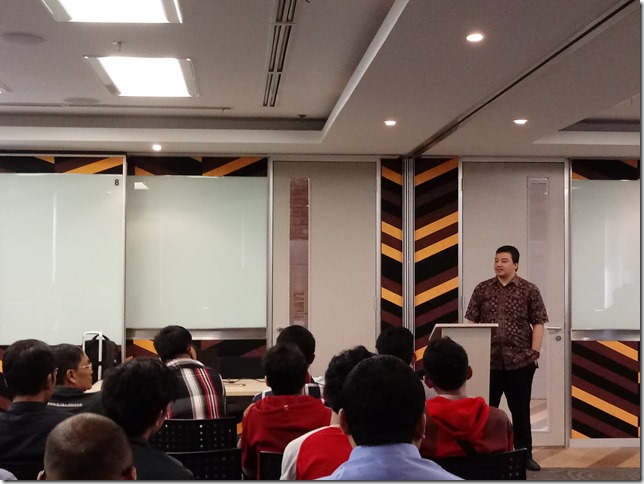
In this presentation, I have given 50 minutes of quick intro of Functional Programming with sample in F#. The audiences was quite many, we got 25 developers, testers and one MUGI member (he’s also Allianz employee) Smile

This presentation was held on 3rd July, 2014. Here are the pictures:

ALLIANZ_Functional_01

Thanks to this guy sitting in front of me, Joerg Sauer, or giving me time and place to present Visual F#:

ALLIANZ_Functional_02


Happy coding with Functional! Go Visual F#! Smile